
Comparisons7-minute readFor graduates comparing MTLE apps
How to choose an MTLE reviewer app: nine criteria that matter
Nine criteria for choosing an MTLE reviewer app, a 10-minute demo test and the red flags to avoid. A guide by category, with no rankings.
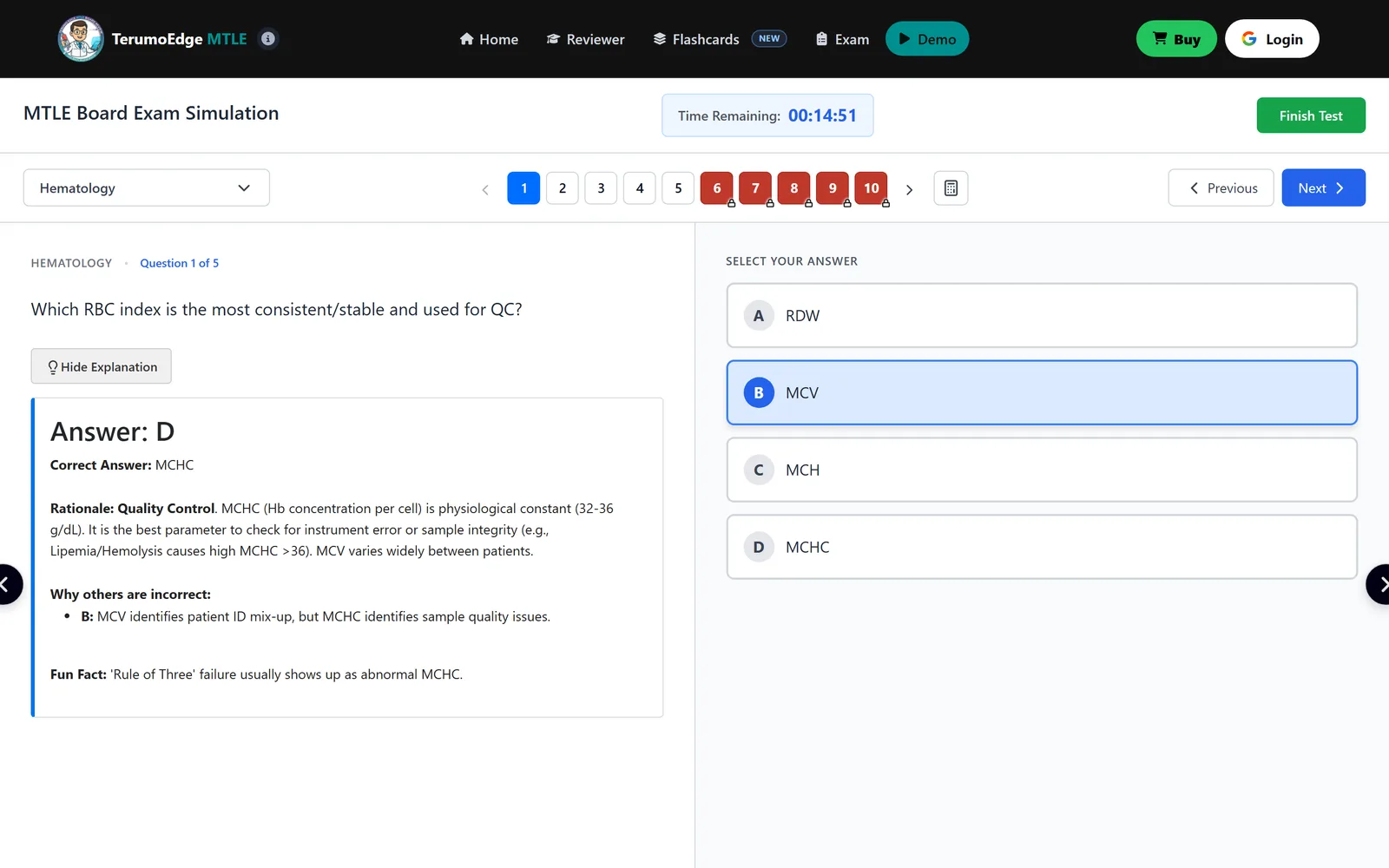
Searching for an MTLE reviewer app returns more options than anyone can test, and the store ratings tell you little about whether an app suits a six-subject board exam. This guide gives you nine criteria and a short demo test, so you can judge any app on what it does instead of what it claims.
We name no apps and rank none. TerumoEdge, which publishes this blog, makes an MTLE simulator, so in the last section we grade our own product on the same list, plainly.
Why does an MTLE reviewer app often miss the exam?
Many apps miss the MTLE because they are built around a question list, not around the structure of the exam. The MTLE is six papers with fixed weights, and the pass rule applies to each. Under Sec. 19 of RA 5527, you need a general average of at least 75%, with no rating below 50% in any major subject.
An app with a thousand random items and one blended score cannot show you a failing subject. An app with short quizzes cannot build the stamina for a sitting that, in recent PRC programs relayed by a secondary source, runs six 2-hour papers over two days.
The criteria below follow from those two facts. Each one asks whether the app reflects how the MTLE actually works.
What are the nine criteria?
Use this grid as a checklist. The last column tells you how to verify each criterion yourself.
| # | Criterion | Why it matters | How to check |
|---|---|---|---|
| 1 | All six subjects at their weights | The floor applies to every subject; weights are 20, 20, 20, 20, 10, 10 | Count the subjects; compare the volume to the weights |
| 2 | Board-length timed sets | Pace and stamina need full papers | Start a set and see the clock and length |
| 3 | Explanations for every option | Learning comes from why options fail | Answer wrongly on purpose and read the result |
| 4 | Image-based items where relevant | Morphology and microscopy are visual | Look for figures in Hematology and Microbiology |
| 5 | Recall tools | Spaced recall fixes facts | Look for flashcards or review queues |
| 6 | Mobile practicality | Most short practice happens on a phone | Open the demo on your phone |
| 7 | Update transparency | Old content misleads | Look for a stated date or change note |
| 8 | Free demo depth | You should test before committing | Check whether the demo has real items |
| 9 | No pass-prediction claims | Nothing can foretell your rating | Read the marketing for promises |
An app need not be perfect on all nine, but it should be honest about the ones it misses.
How do you run a 10-minute demo test?
You can run a useful test in ten minutes, with no payment, in four steps.
- Minutes 1 to 2: find the subject list and check that all six are there, including Clinical Microscopy and the Histopathology paper.
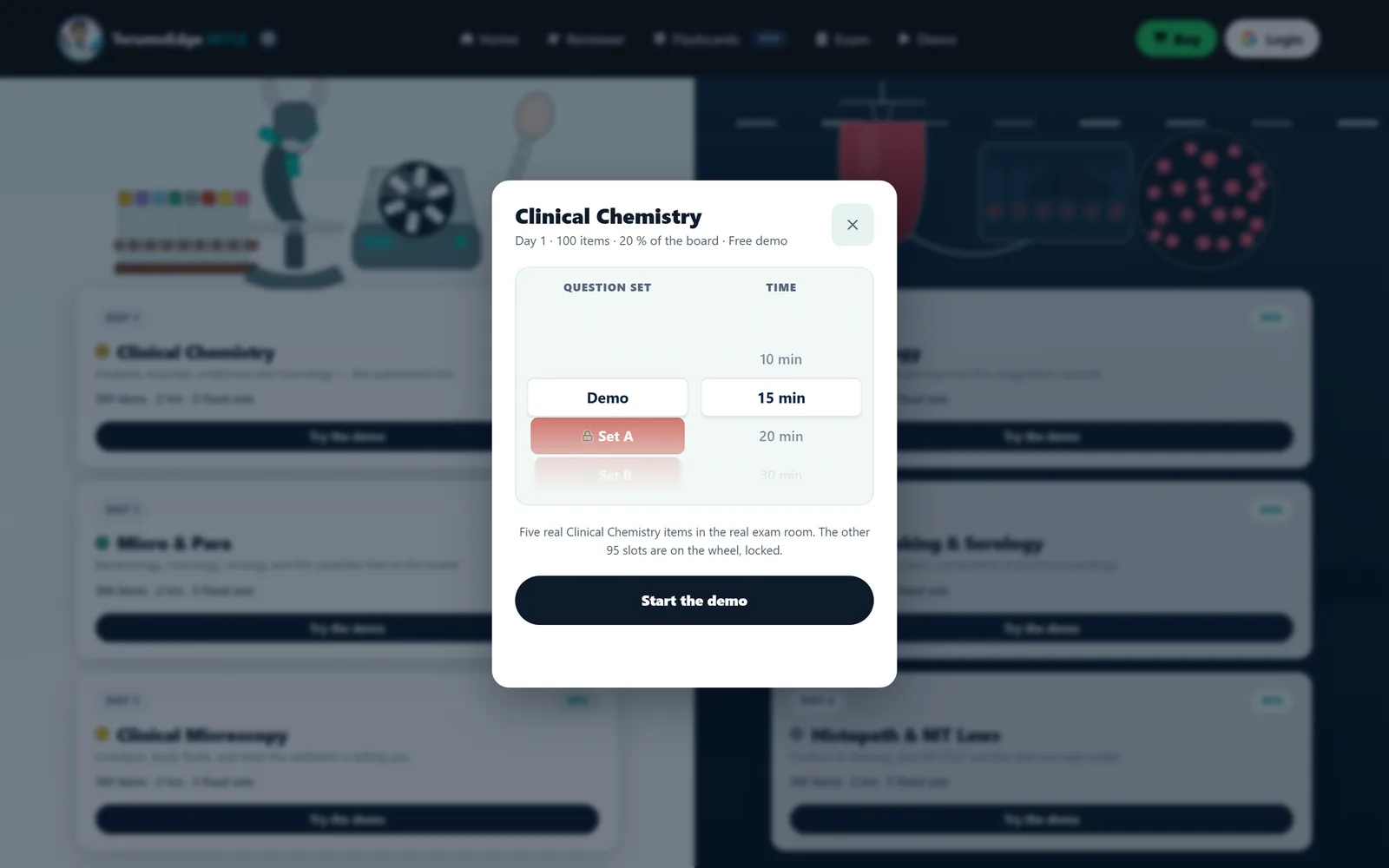
- Minutes 3 to 5: start a timed set. Note the length, whether the clock is visible and whether you can pause it.
- Minutes 6 to 8: answer an item wrongly on purpose and open the explanation. A good one gives the correct answer, the reasoning and why each other option fails.
- Minutes 9 to 10: open the app on your phone and read the question and options without zooming.
What are the red flags?
The main red flags are promises the app cannot keep and signals that nobody maintains it. Watch for the following.
- Pass predictions or guarantees. No tool can foretell a rating, and no source supports a guarantee.
- One mixed pool. If subjects are not separated, you cannot see your floor risk.
- Bare answer keys. A key without reasoning teaches almost nothing.
- No date or change note. You cannot tell whether values and methods are current.
- A demo that hides the exam room. If you cannot see the real interface before committing, ask why.
- Claims about PRC internals. PRC announcements do not state item counts per paper in the sources we checked, so an app that quotes "the real number of items" deserves a question.
Also be careful with reference ranges and units. They vary by laboratory and by convention, so a good explanation says which convention it uses. Another post covers this problem in general chatbots, and the same caution applies to any app.
How does TerumoEdge measure up?
Here is a plain self-assessment of the TerumoEdge MTLE Ex-Sim against the nine criteria. Because we publish it, check every line in the free demo.
| # | Criterion | Our status |
|---|---|---|
| 1 | Six subjects at weights | six subjects, 500 items each, 3,000 in all |
| 2 | Timed board-length sets | five sets of 100 items per subject, on a countdown |
| 3 | Explanations | An explanation for every item |
| 4 | Image-based items | Present in some items; check the subject you need |
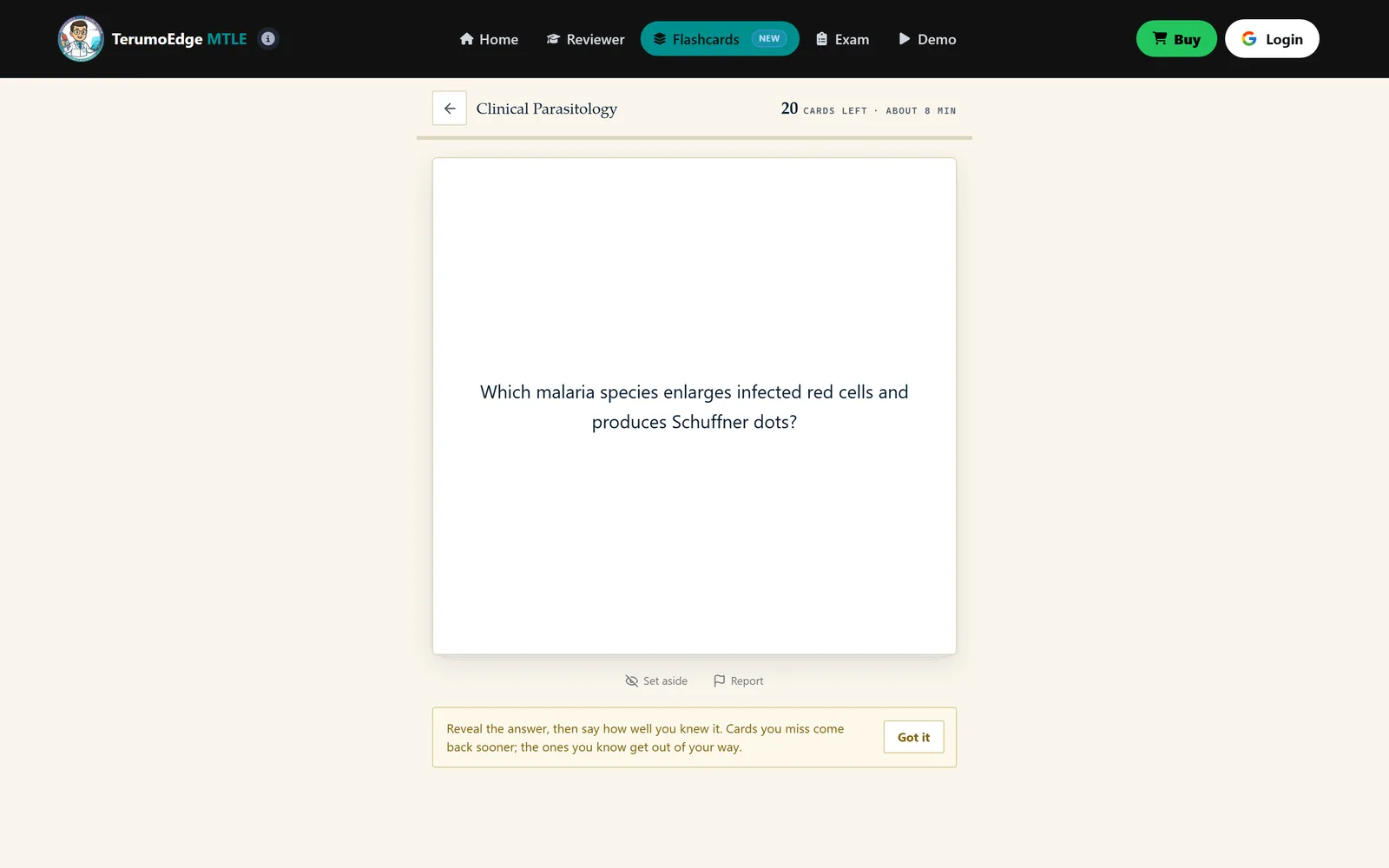
| 5 | Recall tools | 1,000 flashcards at /flashcards/ |
| 6 | Mobile | The exam room works on a phone |
| 7 | Update transparency | This blog states its sources and its update dates |
| 8 | Free demo | Five items per board subject, no account |
| 9 | Pass prediction | None; we do not predict ratings |
The set length is our own design and not a PRC figure. We also offer a visual reviewer at /learn/. If you want the broader picture first, read what an MTLE simulator is.
What should an app’s explanations look like?
A good explanation names the correct answer, gives the principle behind it and says why each wrong option fails. If it does less, it is only a key.
Check this with the demo item you answered wrongly. Does the text explain the mechanism or just restate the answer? Does it deal with the option you chose, the one you were tempted by? Is the language plain enough that you could repeat it to a classmate? An explanation that does all three is teaching, and it is worth more than a bank twice the size.
Watch for numbers. If an item turns on a reference range, a unit or a cut-off, the explanation should say which convention it uses. Ranges differ by laboratory and units differ by system. An explanation that names its convention is more trustworthy than one that silently picks a value.
Should you compare an app with a PDF reviewer?
Yes, because they do different jobs, and the comparison clarifies which gap an app should fill. A PDF reviewer builds coverage, and an app should add timing, scoring and explanations that a PDF cannot.
If an app only re-publishes the content of a handout as quiz items with a bare key, it adds little. If it adds a clock, per-subject scores and written reasoning, it adds a great deal. The post on PDF reviewers versus a simulator sets out what each does best.
Judge the app by the gap it fills in your own review. Someone with excellent notes and no practice needs a simulator. Someone with plenty of questions and thin notes needs a reviewer. Choose by your gap, not by the longest feature list.
Frequently asked questions
Is a free app enough?
A free app can be enough for early coverage or for a diagnostic, but check it against the nine criteria first. The usual gaps are missing subjects, no board-length sets and answer keys without reasoning. If the free version lacks timed sets and explanations, add them from somewhere else.
Do apps cover all six subjects?
Not all do. Some apps cover only the heaviest subjects or mix them in a single pool. Open the subject list before you commit, and look for Clinical Microscopy and the Histopathology paper in particular, since the 50% floor applies to every major subject.
Can an app predict my rating?
No. Practice scores depend on the bank, your timing and your condition on the day, and no source supports predicting an MTLE result. Use scores to find weak subjects, not to forecast. Treat any app that claims otherwise with suspicion.
Should I use more than one app?
One well-chosen simulator plus a reviewer and flashcards is usually enough. Using many apps splits your attention and gives you scores that cannot be compared. If you add a second app, give it a clear job, such as recall or a visual explanation.
Sources
From the publisher
Meet the MTLE here first.
TerumoEdge MTLE is an MTLE simulator: board-length practice sets in all six board subjects, sat on a clock, with a full explanation for every item instead of a bare answer key.
- 3,000 items across the six MTLE board subjects, 500 in each
- five board-length sets of 100 items per subject
- A full explanation for every item, not a bare answer key
- A visual reviewer and flashcards beside the question bank
Try the free MTLE simulator demo Five real items per board subject. No account needed.
About this article
Written by the TerumoEdge editorial team, who build the TerumoEdge MTLE Ex-Sim. Exam facts are checked against RA 5527, the Philippine Medical Technology Act of 1969, Professional Regulatory Board of Medical Technology resolutions and PRC announcements, and every article lists its sources. How we write and check our articles.
First published .